“Robotics and coding at preschool” can sound like a difficult lesson in front of a computer. For young children, though, it can start with putting steps in order, giving directions, testing the result and fixing a mistake. All of that can happen without a screen.
Your child doesn’t need to learn a programming language, or even to write. Giving directions to a toy animal, laying cards out in order, or having a friend play “the robot” can help children put their ideas into practice. Look at how an activity is run, not just at the name of the tool.
What Is Screen-Free Coding?
Screen-free, or “unplugged”, coding means exploring some ideas about problem-solving and sequencing without a computer. Children make a list of instructions, carry them out and look at what happened. They’re working on the question: “What comes first, and what comes next?”
Barefoot Computing’s early years material looks at these thinking skills through play and everyday experience. Sorting, spotting patterns and solving problems in simple steps don’t have to involve a computer.
That doesn’t mean children never meet technology. A robot toy you program with buttons is a piece of technology, but it isn’t a screen. A screen-free tool and a completely non-electronic game are two different options. For the wider educational context, see our comparison of preschool teaching approaches.
How to Set Up an Arrow Game
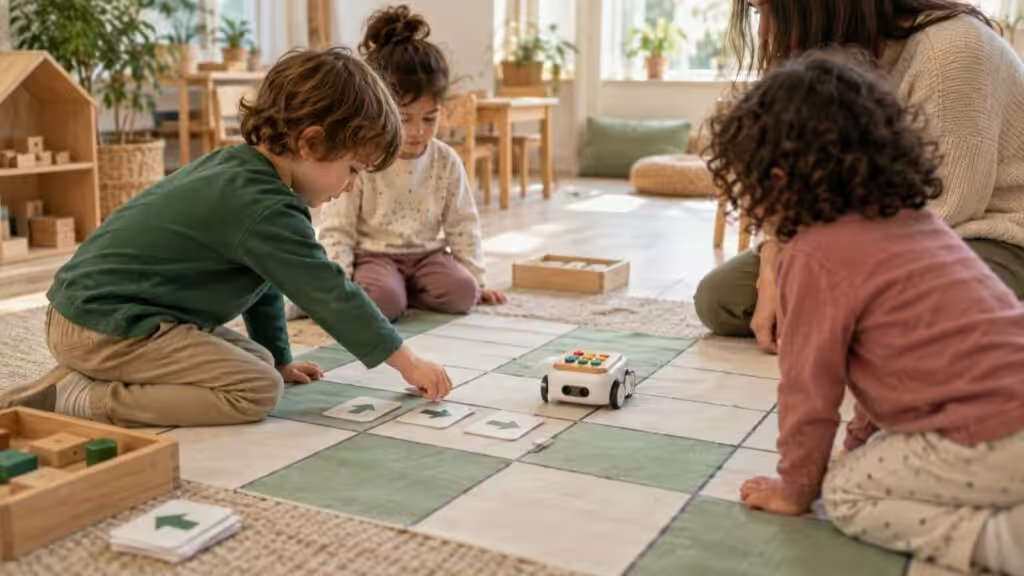
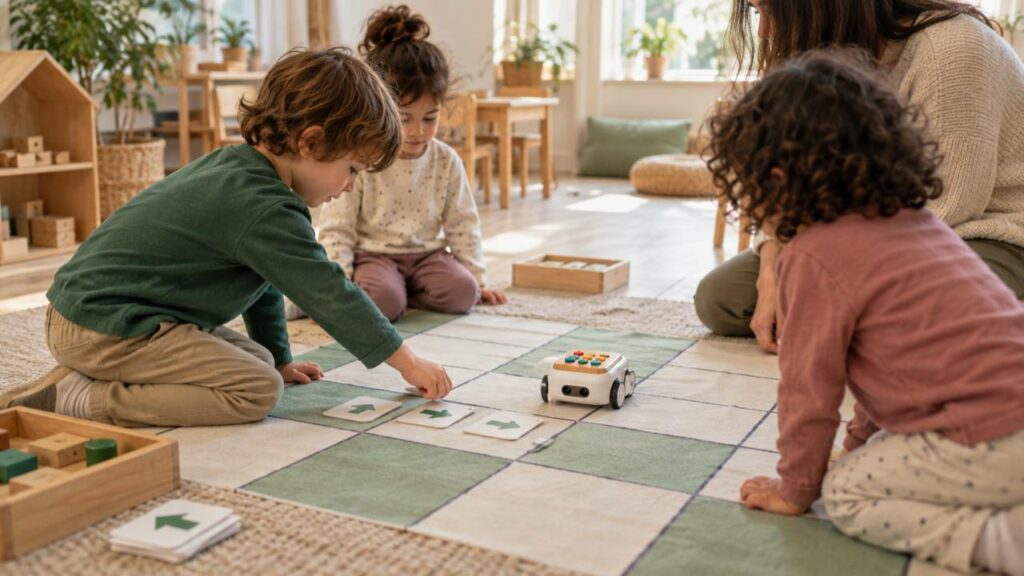
Imagine laying a few large squares on the floor with your child. Put a toy at the start and a picture of a house at the end as the goal. First trace the route with your finger, then choose an arrow for each step.
Keep the sequence simple:
- Choose the goal. “How does the toy get home?”
- Plan the steps. Lay the forward and turn cards out in a row.
- Try it. Move the toy one step for each card.
- Check. Did it reach the house?
- Change it. If not, move one of the cards.
Don’t let it turn into a grown-up demonstration. Give your child time to test their own route. Start with a short route rather than adding lots of squares and turns.
Why Getting It Wrong Is Worth It
When the toy doesn’t reach the house, there’s a problem your child can actually see. Instead of “You didn’t manage it,” you can ask: “That turn brought us here. Which step shall we change?” The mistake gives your child a clue about what to change.
Your child might start the whole route again, or just swap one card. An adult can help the child notice the options without giving away the answer. Having another go matters as much as getting there.
In play-based learning, too, a change of plan is something worth talking about. In a coding game, that change is especially concrete: change one instruction, and the result may change too. For other examples of hands-on activities, explore preschool chess and woodworking.
How to Use a Robot Like Bee-Bot
With a toy robot you can steer using its buttons, a child can put together a short sequence of moves. Then they press go and watch where it travels. The aim is to connect the plan they made with what happens, rather than pressing buttons at random.
One idea is a “go home from school” game on a simple map of the neighbourhood. The child shows the route with cards first, then tries it with the robot. Watching a friend’s plan is a chance to take turns and think things through together, too.
Children don’t need to have mastered directions before working with a robot. The activity gives children repeated opportunities to explore these ideas. The teacher should adjust the rules and the length of the route to how the child is getting on.
Coding at this age is less about finding the right button and more about being able to test your thinking one step at a time.
What’s in Sun Preschool’s Coding Plans?
Robotics and coding is one of Sun Preschool’s specialist subjects. Examples from our programme include a home–park–school route with arrow cards for four-year-olds, and route-planning with Bee-Bot on a neighbourhood map for five-year-olds. These are concrete examples of screen-free ways of working.
They don’t mean every lesson uses the same tool. When you visit, you can ask about the current plan for your child’s age group and the materials the specialist teacher uses. Our guide to screen time looks at technology alongside children’s everyday needs.
What Can You Do at Home Without Buying a Robot?
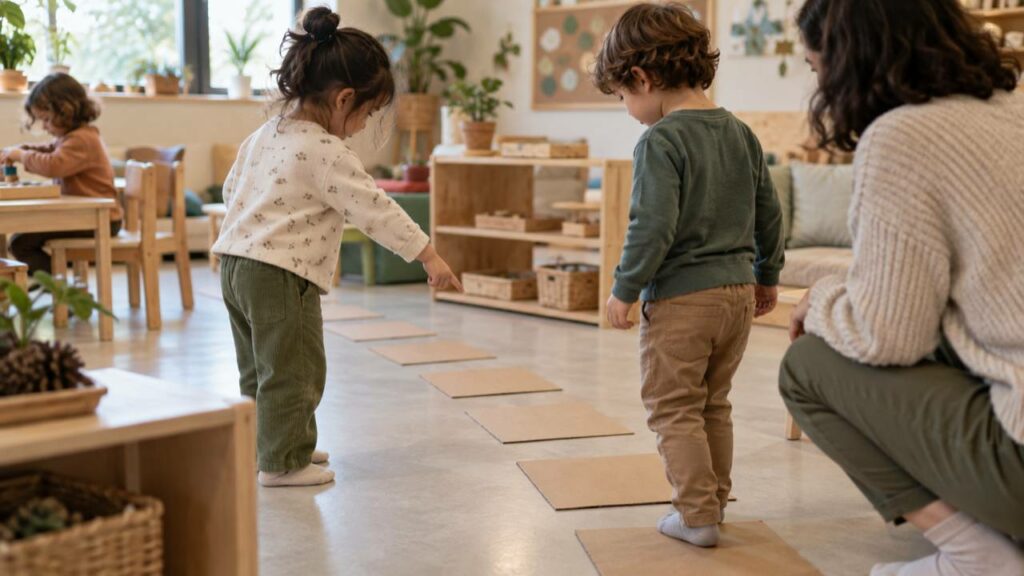
A toy, some paper arrows and a short path are all you need. Start with simple instructions like “Two steps forward.” If your child likes, you can play the robot, then swap roles.
You can also show the steps of an everyday job in pictures: washing hands, laying the table or tidying up toys. Just don’t turn every routine into a test. Noticing the order of things in a game they enjoy is a good enough start.
Expensive kit doesn’t make the thinking any better. What matters is the decisions your child makes, and an adult who listens without rushing.
If you’d like to talk about the hands-on learning your child would do with us, you can arrange a visit.
References & Further Reading
- Barefoot Computing — Early years: computational thinking and unplugged activities.
- Barefoot Computing — Computational thinking in the early years: an overview (PDF).
Frequently asked questions
Does my child need to read to do coding?
Not for screen-free activities at this age. They can use pictures, arrows, objects and movement. The tasks are kept short and easy to understand.
My four-year-old mixes up left and right. Does that mean they can’t do it?
No. Mixing them up doesn’t stop them joining in. An adult can help by modelling, using signs and repeating, and the task can be simplified to match what your child is used to.
Does a robotics lesson count as screen time?
It depends on the tools. A button-operated robot and paper cards aren’t screens; if a tablet or computer is used, that screen time is worth thinking about separately. Don’t judge the tools from the name of the lesson.
Will this make my child good at programming later on?
Nobody can promise future success. What your child gets here is experience of sequencing, trying things out and solving problems. That experience doesn’t need to be measured against a future career to be worthwhile.